
RFID Kote Management System for Armouries & Arms Stores
Know which weapon is with which soldier, at any moment, without a paper logbook.
In a military or police unit, the kote is the armoury where arms and equipment are kept, and it is one of the most closely watched rooms on the premises. Yet in many units it is still run on paper: handwritten registers, signed slips and a physical count at every shift change. It works, until a page goes missing, an entry is illegible or a handover takes an hour and still leaves a doubt about one rifle.
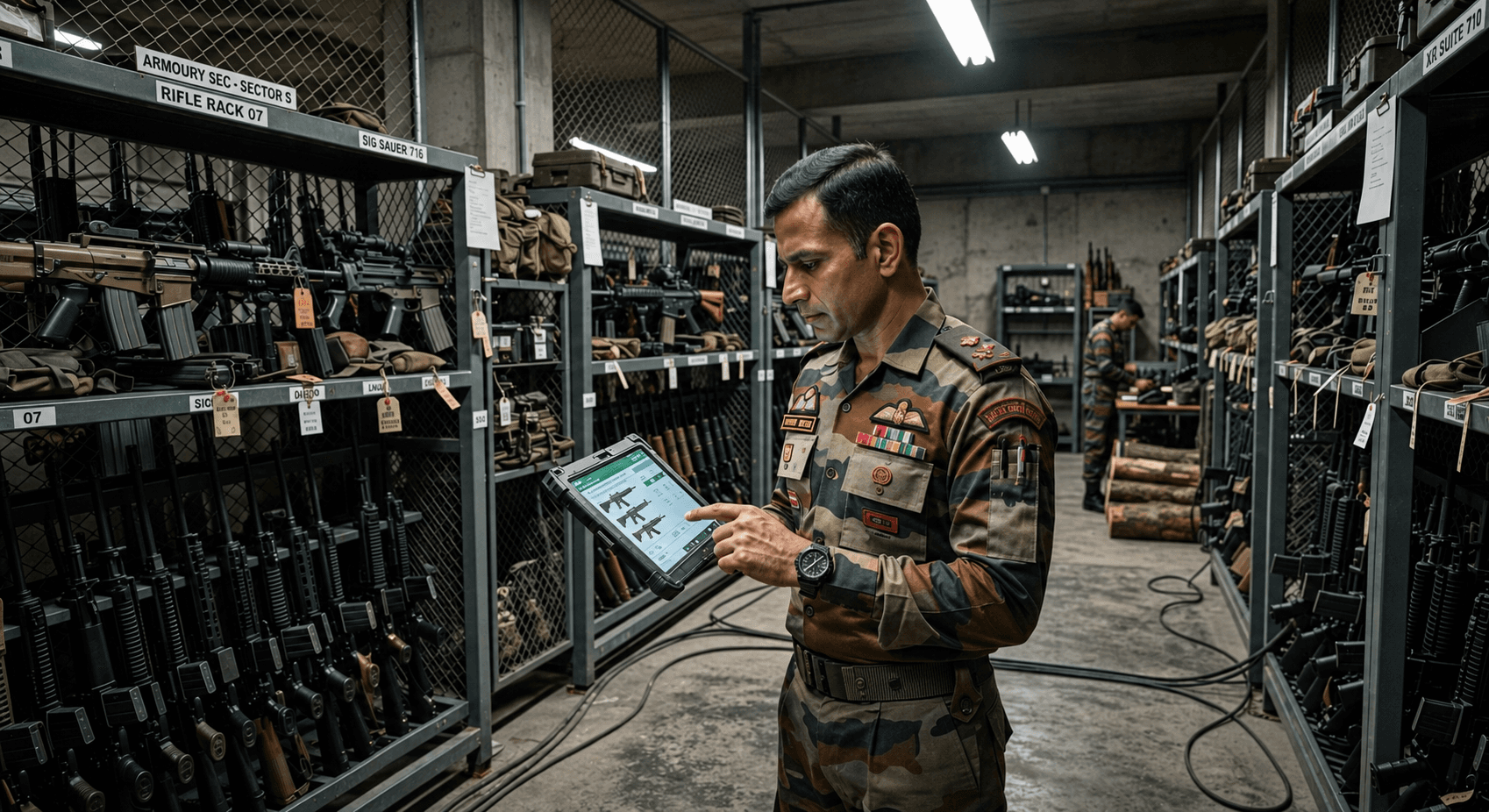
Network Toll Solution's RFID Kote Management System replaces the register with a live record. Every weapon or piece of equipment carries an RFID tag, and every soldier has one too. At the counter, the operator scans the item and then the soldier. The two are linked in a single transaction, so the system always knows who took what, and when.
When the item comes back, the same two scans close the record. Nothing leaves the kote without being tied to a named person, and anything still marked "Not returned" is still with that soldier.
Problems With Paper Logbooks We Solve
Manual armoury registers depend on people writing the right thing at the right time, every time. Over months and years, small gaps add up.
- Tracking gaps: an issue entry with no matching return, or a weapon that changed hands without a record.
- Slow shift changes: a full count by hand at every handover ties up both teams.
- Illegible or altered entries: handwriting that cannot be read later, and pages that cannot be proven untouched.
- Slow audits: inspections take days because every figure is reconciled by hand.
- No live view: you only know what is out of the kote when someone goes and counts.
What the System Is Made Of
A kote deployment is small and simple. Five parts, all working together at the issue counter.
- Soldier RFID tag: one per soldier, registered once on the server.
- Equipment RFID tag: one per weapon or item, fixed on the item itself.
- RFID reader: sits at the kote counter, connected to the computer, and reads both kinds of tag.
- Control PC with the kote software: used by the operator to log in, issue and return.
- Server: stores every registered tag and every issue and return record.
Issuing a Weapon: Two Scans, One Record
Each time a soldier draws a weapon or equipment, the operator follows the same short routine.
- The operator opens the Issue screen, already logged in, and scans the equipment tag. The system shows which item it is.
- The software prompts for the soldier. The soldier shows their RFID tag to the reader and is identified.
- Equipment and soldier are combined into one transaction, and the item is now issued to that person.
- The soldier, equipment, date and time are saved on the server.
Returning It: The Same Pair Closes the Record
After the exercise or competition, the process simply runs in reverse.
- The soldier returns to the kote with the equipment.
- The operator scans the equipment tag, then the soldier tag. The system finds the open issue record for that item.
- The system checks that the pair matches: the equipment must be coming back from the same soldier it was issued to.
- The return date and time are saved against the original record, and the transaction is closed.
A Clear Picture at a Glance
- A Records screen lists every soldier, equipment item, issue time and return time.
- Anything showing "Not returned" is still with that soldier.
- Operator login protects the system: the main screen opens only after a successful sign-in.
- Every transaction is time-stamped and stored on the server, ready for inspections and audits.
Who It Is Built For
- Army, air force and naval unit armouries and kotes
- Police lines, district armouries and training centres
- Paramilitary and central armed police force units
- Private security agencies and licensed arms stores
- Ammunition depots and storage facilities
FAQs — RFID Kote Management System
What is a kote, and why does it need a management system?
A kote is the armoury of a military or police unit, where weapons and equipment are stored. Every item has to be accounted for at all times, so a system that records each issue and return automatically is far more reliable than a paper register, which depends on manual entries and is slow to audit.
How does RFID link a weapon to a soldier?
Each weapon carries an equipment tag and each soldier carries a personal tag. At the counter the operator scans the item, then the soldier, and the software combines the two into one issue record with the date and time.
What happens when the weapon is returned?
The operator scans the equipment tag and then the soldier's tag. The system finds the open issue record and checks that the item is coming back from the same soldier it was issued to. If it matches, the return is recorded and the transaction is closed.
How do we see what is still out of the kote?
The Records screen shows every transaction with its issue and return time. Anything marked "Not returned" is still with the soldier it was issued to.
What hardware do we need?
Soldier tags, equipment tags, an RFID reader at the kote counter, a PC running the kote software and a server that stores the records. We supply and set up the full system.
Other solutions
- Toll Management
- ANPR Monitering
- Smart Parking Management
- Inventory Management
- RFID Software System
- Plaza Center & Database Server
- Number Plate Detection
- Face Attendance System
- RFID Gate Automation
- ANPR & Vehicle Identification
- AI Damage Detection
- Vehicle Speed Monitoring
- Dock Space Visualization
- Real-Time Container Search
- Quality Inspection & Label Reading
- Pallet Classification & Counting
- Inventory Stack Height Monitoring
- Workstation Occupancy
- OCR-Based Document Data Extraction
- Forklift Operator & Activity Monitoring
- Safety Compliance Monitoring (PPE)
- Fire & Smoke Detection
- Operator Presence & Perimeter Monitoring
- RFID Race Timing System
- Multi Lane Free Flow (MLFF)
Enquire about the RFID Kote Management System
Tell us your lane count, read range or volume and we’ll quote the right configuration.